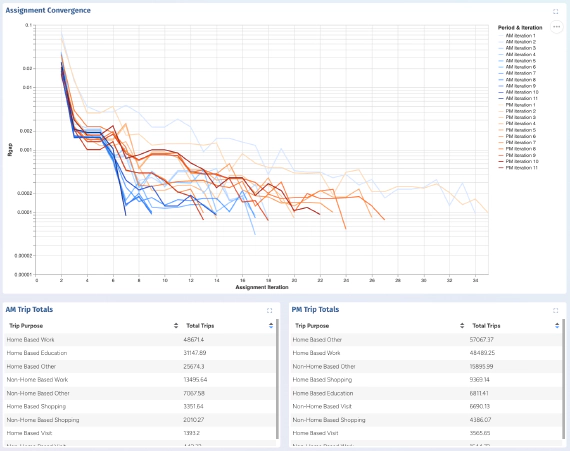
Instant Project Dashboards for AequilibraE
Over the last two months, I have been interning with Outer Loop on the integration of web-based visualization …


Photo by Getty Images

Recently I’ve had the opportunity to work on a number of project that aim to put the advanced power of Python into the hands of modelling practictioners. A common theme that has come up is how intimidating it can be to deal with errors when they occur in a Pythonic framework. This is particularly true for those who may not have a strong programming background.
For example, take this error message that a user of the POLARIS python package might encounter when trying to start working with a model for the first time.
from polaris import Polaris
model = Polaris('/home/user/models/Brusbane')
In this case, the user has made a simple mistake of providing the wrong path to the model. However, the error message that is produced is quite intimidating:
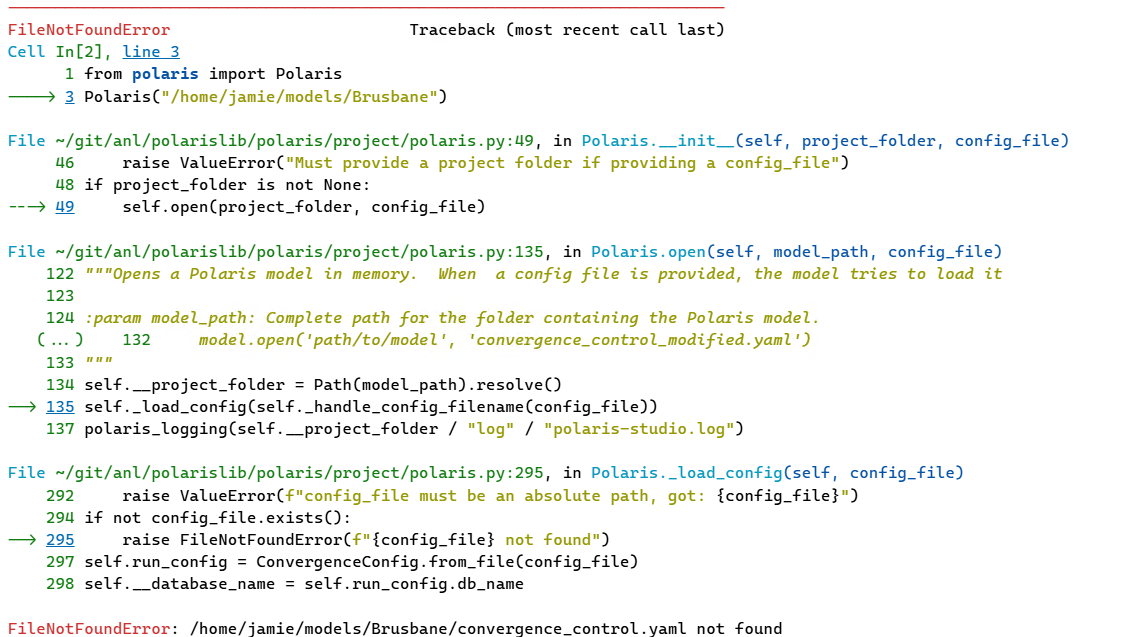
As someone who has spent a lot of time looking at stack traces, parsing out the important information from this wall of text and understanding how to fix the underlying issue has become somewhat of a second nature. In fact, I’d say that it has become so natural, that I have lost sight of how impenetrable this can be for many modellers.
Recently I’ve been spending more time watching users interact with the software I’ve written and come to realisation that we can be doing a LOT better when it comes to presenting error messages to the user.
As part of our work with the POLARIS team I’ve been making some changes to my approach to provide a more informative and user-friendly experience while still providing the level of detail required to fix real software issues.
This has involved two things, removing unnecessary technical jargon and adding a clear set of next steps that users can take to resolve the issue. Consider the following revised error message for the same issue:
------------------------------------------------------
❗ Not a Polaris project: /home/jamie/models/Brusbane
------------------------------------------------------

Provided project folder does not exist: /home/jamie/models/Brusbane

💡 Helpful Hints:
   • Make sure you are correctly specifying the root directory of a Polaris project.
   • This directory should have a polaris.conf file in it.
   • Use '--data_dir=<path>' if you are using the CLI.

📋 Debug information is saved to: /tmp/polaris_error_q5y77x34.log
   If you need further assistance contact polaris@anl.gov and attach this log file.
This revised error message provides an upfront short explanation of the error that occurred - the given folder does not contain a POLARIS project. It then goes into slightly more detail - in this case, the folder itself doesn’t exist due to the spelling mistake in Brisbane - but doesn’t go overboard.
It then has clearly articulated next steps that the user can take to resolve the issue (check the path, states what a valid project folder looks like and how to provide it using the CLI). Finally a fully detailed debug log is provided to help inform further troubleshooting along with a way to initiate a support request.
This approach requires a concerted effort, but that effort has a massive effect in softening the learning curve for modellers who are starting to dabble in programming and helps prevent them from being permanently put off from programmatic approaches and programming in general. As we incorporate these practices in new and existing products and projects, we are sure they will become a key component in bridging the gap between advanced programming frameworks and everyday modelling practitioners and help bring the power of Python to even more people.
Over the last two months, I have been interning with Outer Loop on the integration of web-based visualization …

Over the past 8 weeks we – Evelyn Bond and Tyler Pearn – have been working with Outer Loop as part of the University of …
